
Design at Cloud Design studio
I joined the Azure cloud design studio team as a contractor designer, and during my work and life there for 7 month, I got the in-depth understanding of the enterprise product design by working on several projects, which got tested and shipped. As I was understanding both the enterprise UX core values and the technical challenges, I also developed passions of designing for cloud products.
Cloud design studio
Cloud UX studio is a cross-functional team with both designers, researchers and prototypers working together. The mission shared across team is to make "Azure" simpler.
My contribution
• Designed the Instance reservation feature with Billing team
• Designed the customer experience portal from scratch
• Designed pattern & interaction model
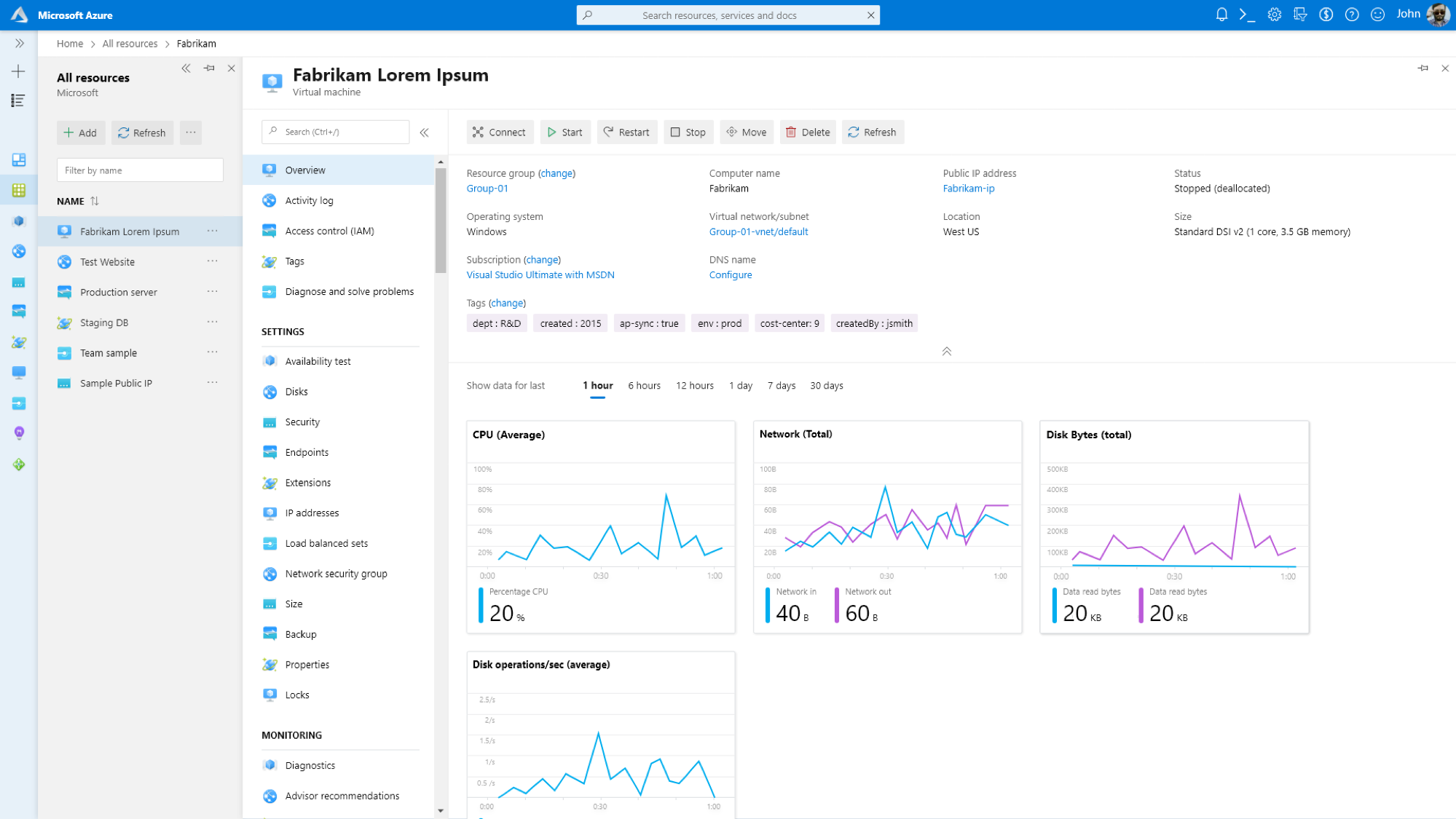
Sample view of the azure platform
Design for enterprise products and customers
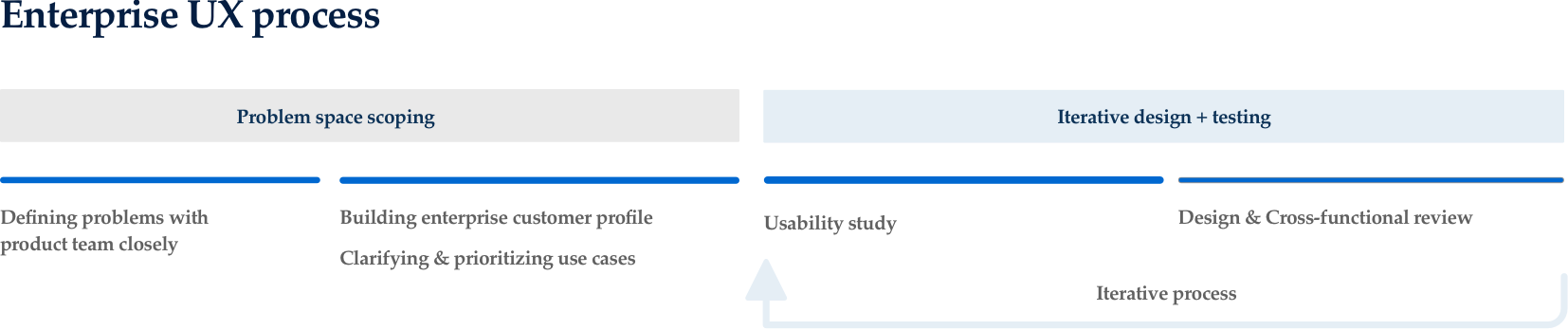
Azure portal is a complex platform that supports hundreds of different product scenarios across multiple personas. It’s important to immerse yourself into the technical field and solve problems from a technical and enterprise customer’s eye. It's also important for the team to maintain the existing interaction pattern so customers don’t need to re-learn how to use different features across the platform.
I. Reserved Instance
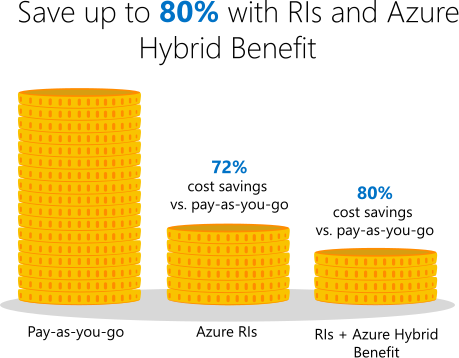
Reserved instance feature allows customers and companies to reserve azure cloud product in advance and save up tp 80% compare to pay-as-you-go price.
So many enterprise customers value this feature but they're currently struggled about complex settings and overwhelmed options during the purchase process. Our goal is to simplify the purchase flows, and provide personalized options to customers.

Instance reservation - Feature quick overview
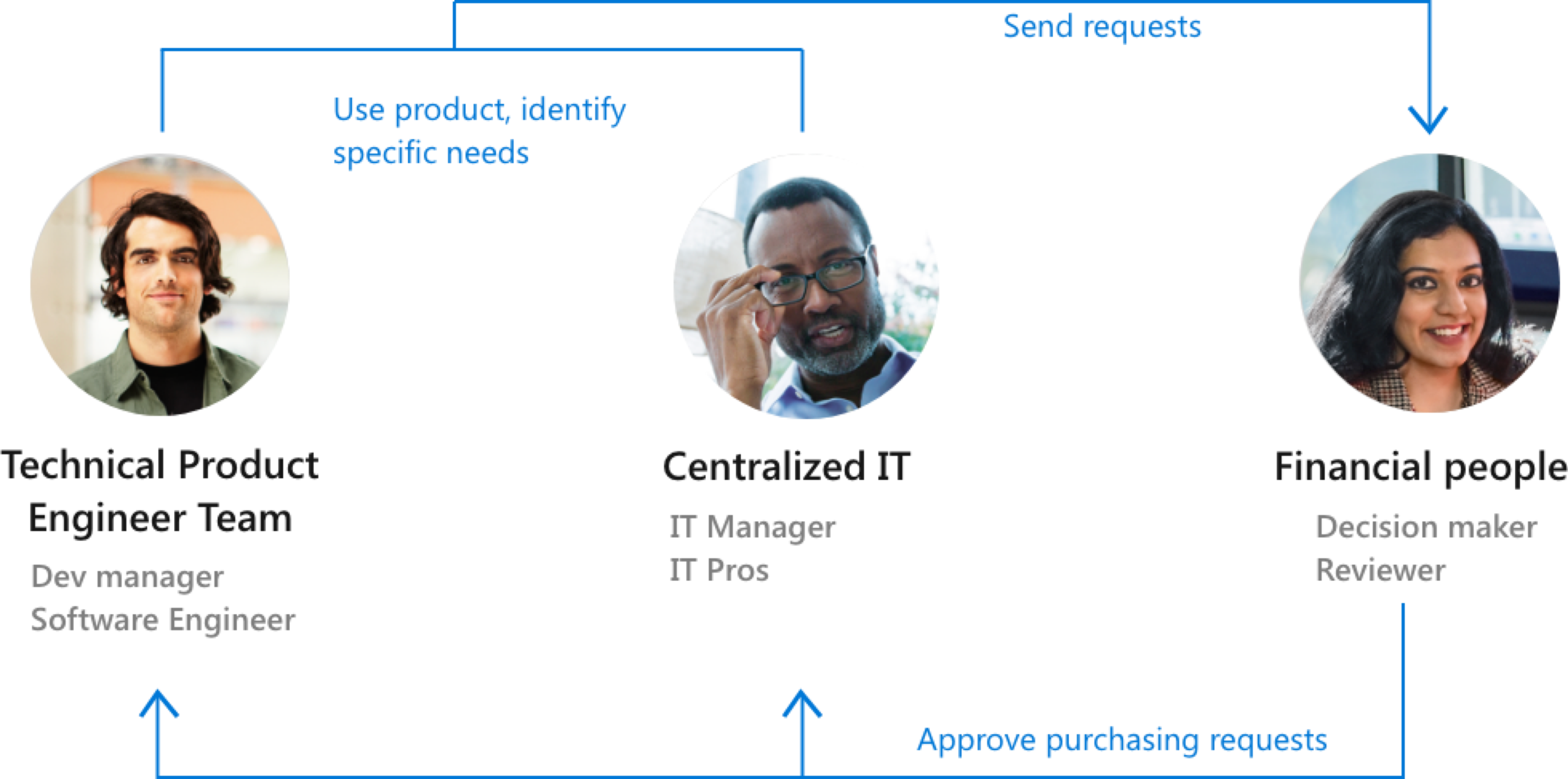
Reservation feature users & Scenarioas
Problems & Goals
1. The system need to be extendable to various product types
2. Guide users through the complex flow with enough customization
3. Provide relevant information to different users with specific goals
User flows & System IA
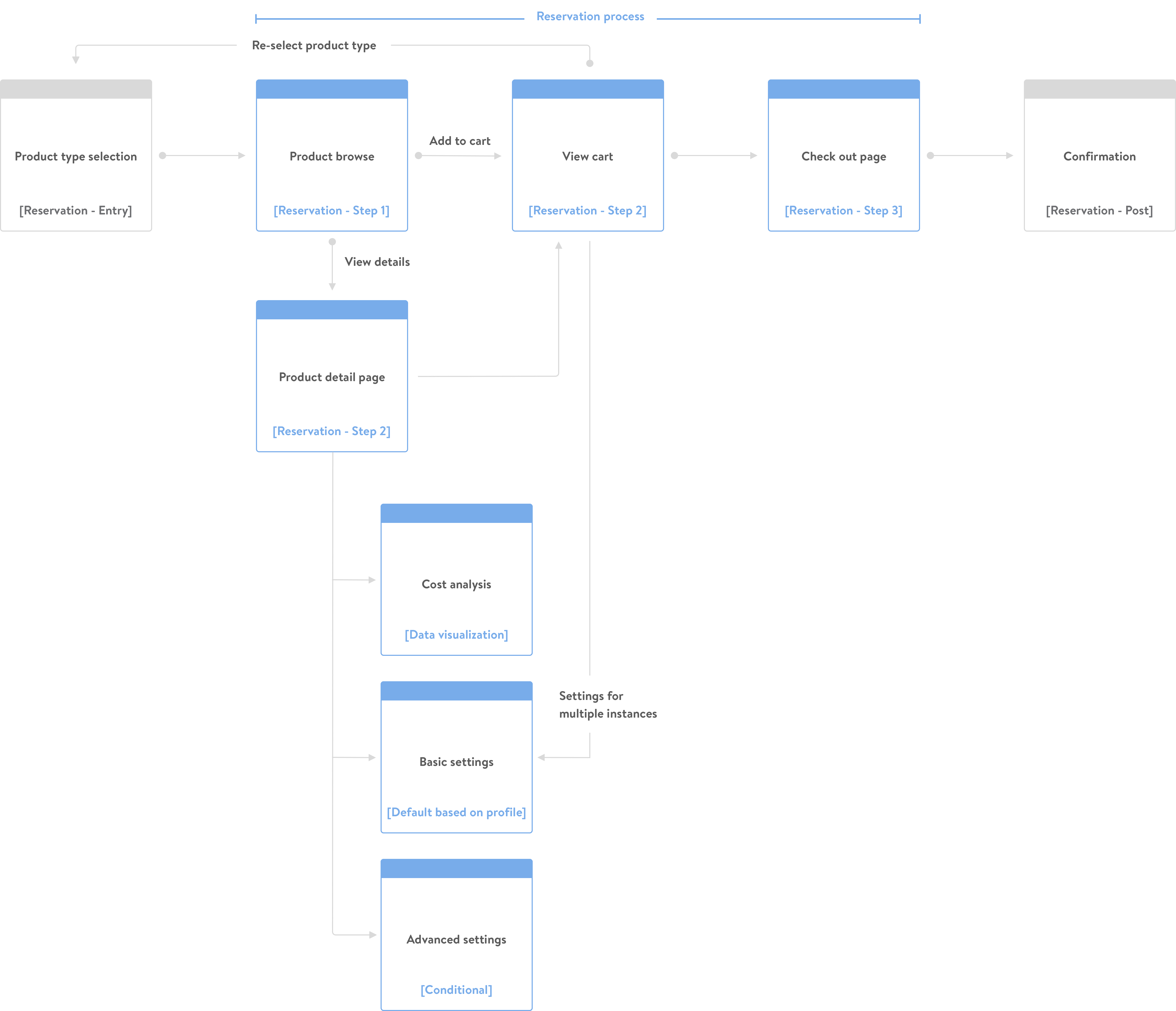
Highlighted features
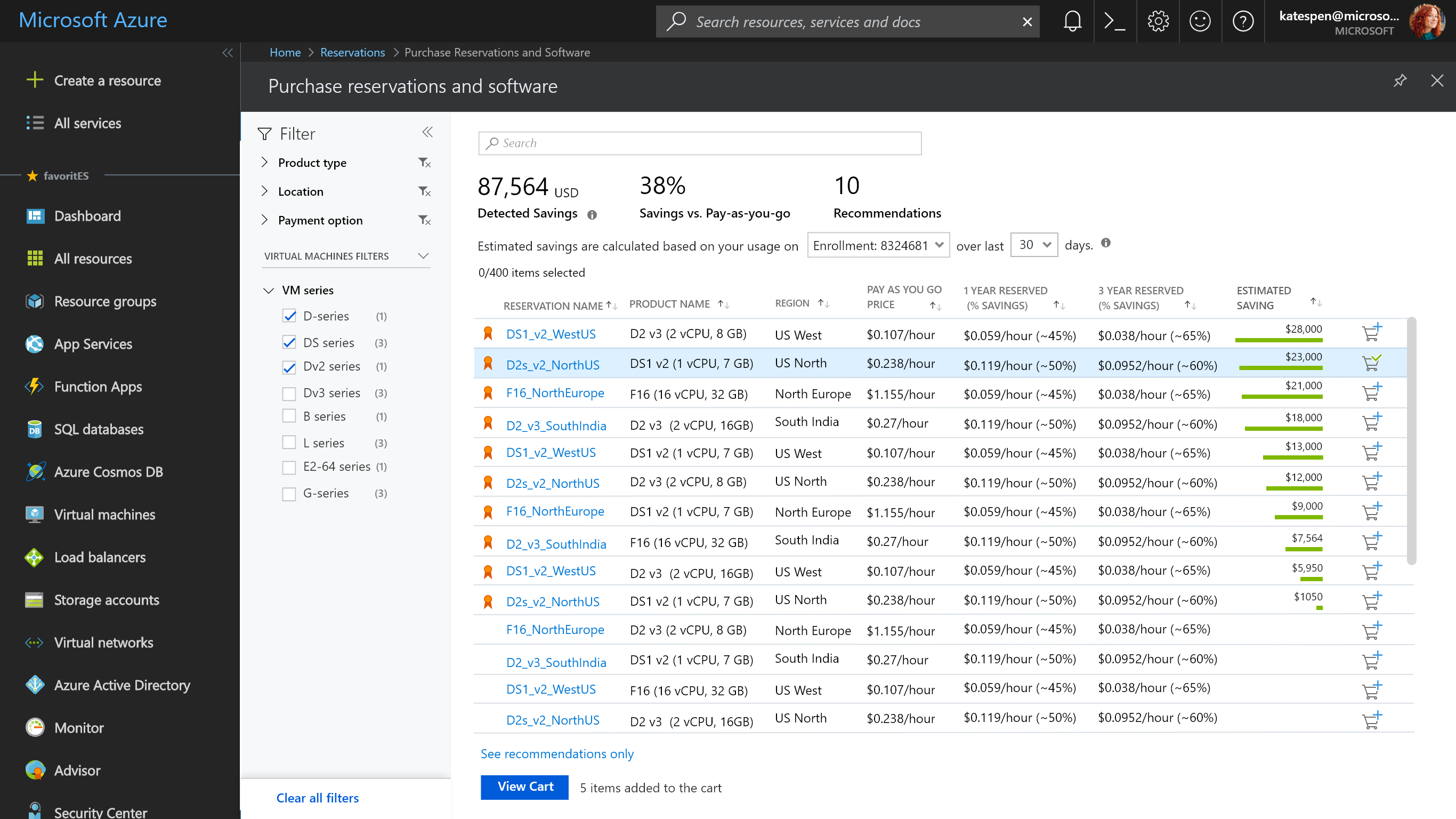
Reserved Instance feature will be used to purchase various type of product. Help them to easily overview and dive into the products details are the key challenges.
When people entered into the purchase flow, they can see a full list of product options, with ranking info and recommendations. Filters and facets are also key controls, which can help them to narrow down the options with specific criteria. This dashboard enable users to either bulk add product to cart, or enter into product detail page to view more information.
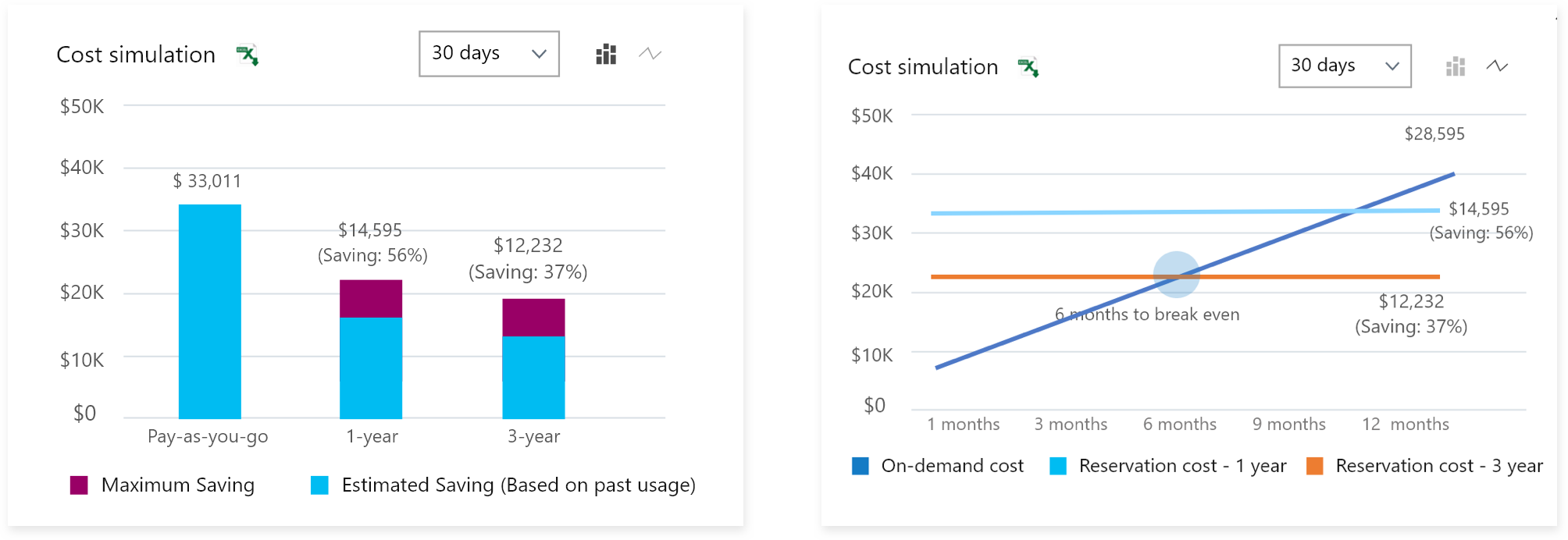
Within the product detail page, customers are seeking relevant product information in order to make informed decisions. In order intuitively convey the cost information and the differences between products, we visualize the cost details with graph and charts. During the testing with users, they all can understand the cost calculation better and make purchase decisions with more confidence.
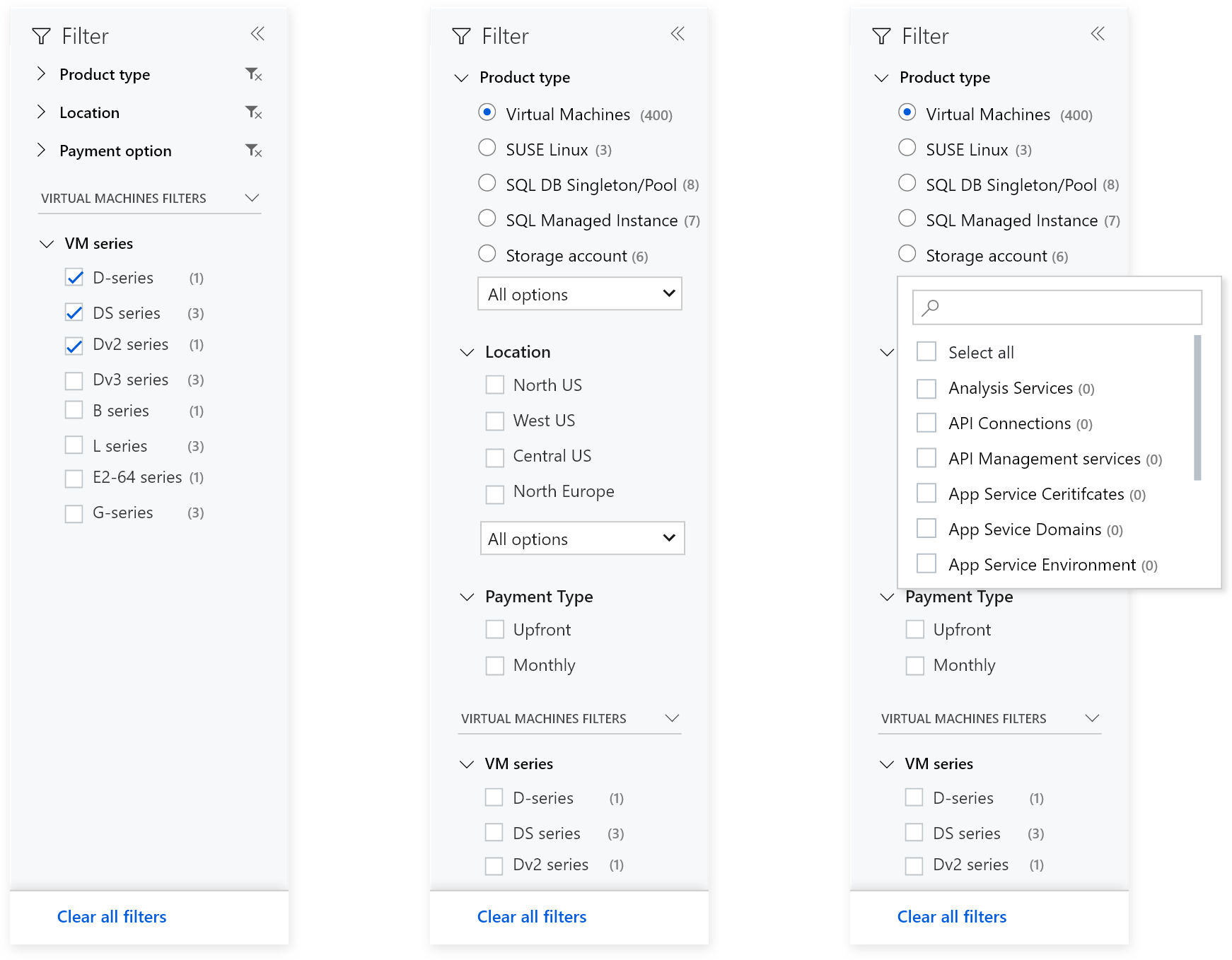
Depends on different enterprise company's needs and type of roles users have. They come to purchase products with different goals. In order to support different way of filtering, we talked to users and understand their prioritization when buying Azure products, such as type, regions, hardware requirements etc. And consolidated the key factors into the facet search module.
By customizing the facet search capability within the Azure portal, we can provide users the accurate information needed without requiring them to re-learn the pattern.
Learning & Challenges
In order to better incorporate the research findings along the process, we’re working with research team as an iterative process to understand customer’s needs and also to validate their mind sets with design solutions. We also maintained a fast turn-over, cross-team, cross-functional critique schedule, to make sure we align the core functionality with experiences of rest of the services azure platforms provides.
II. Customer Experience Central (CXP)
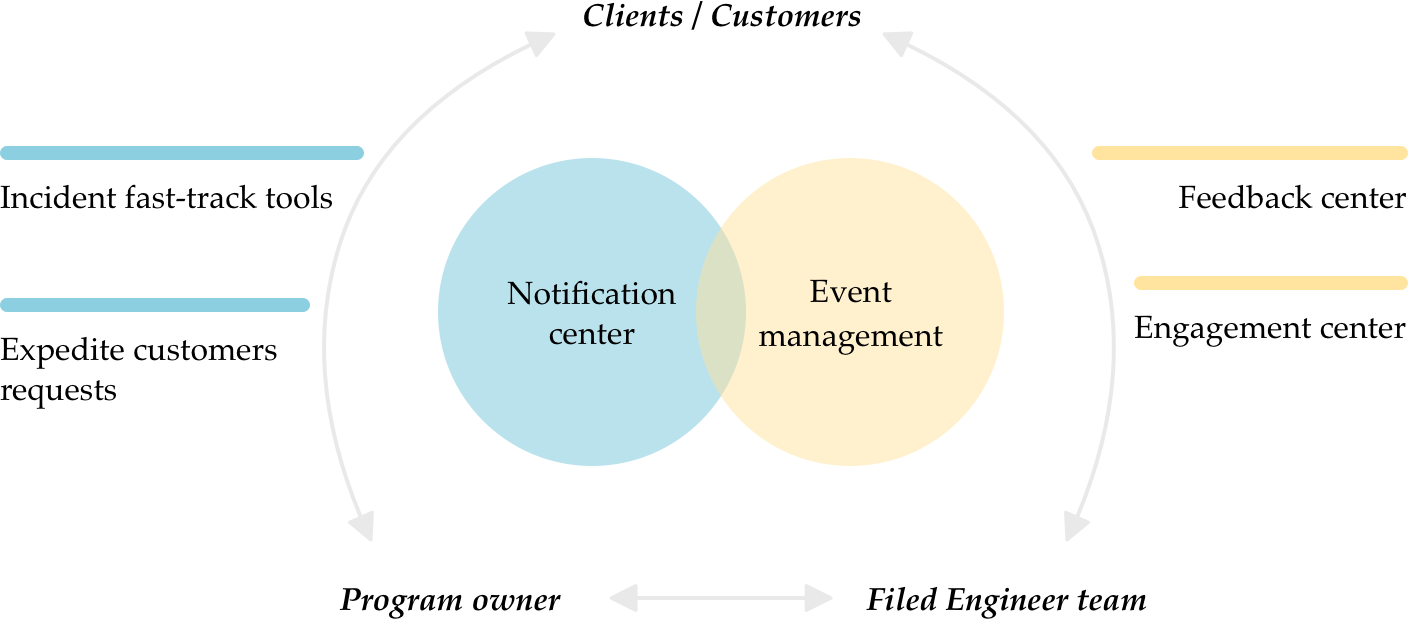
Azure customer support lags Industry and competitive benchmarks. Multiple teams within the Azure organization are focused on driving improvements to customer impacting features. Given that we have numerous specialized areas and use cases, we want to design a unified & comprehensive dashboard that monitors all the injuries and collates all the reporting views. We aim to develop a ‘single pane of glass’ view for both program owners, engineers and clients.
Problems & project goals
- Help with the conversation between product managers and engineers
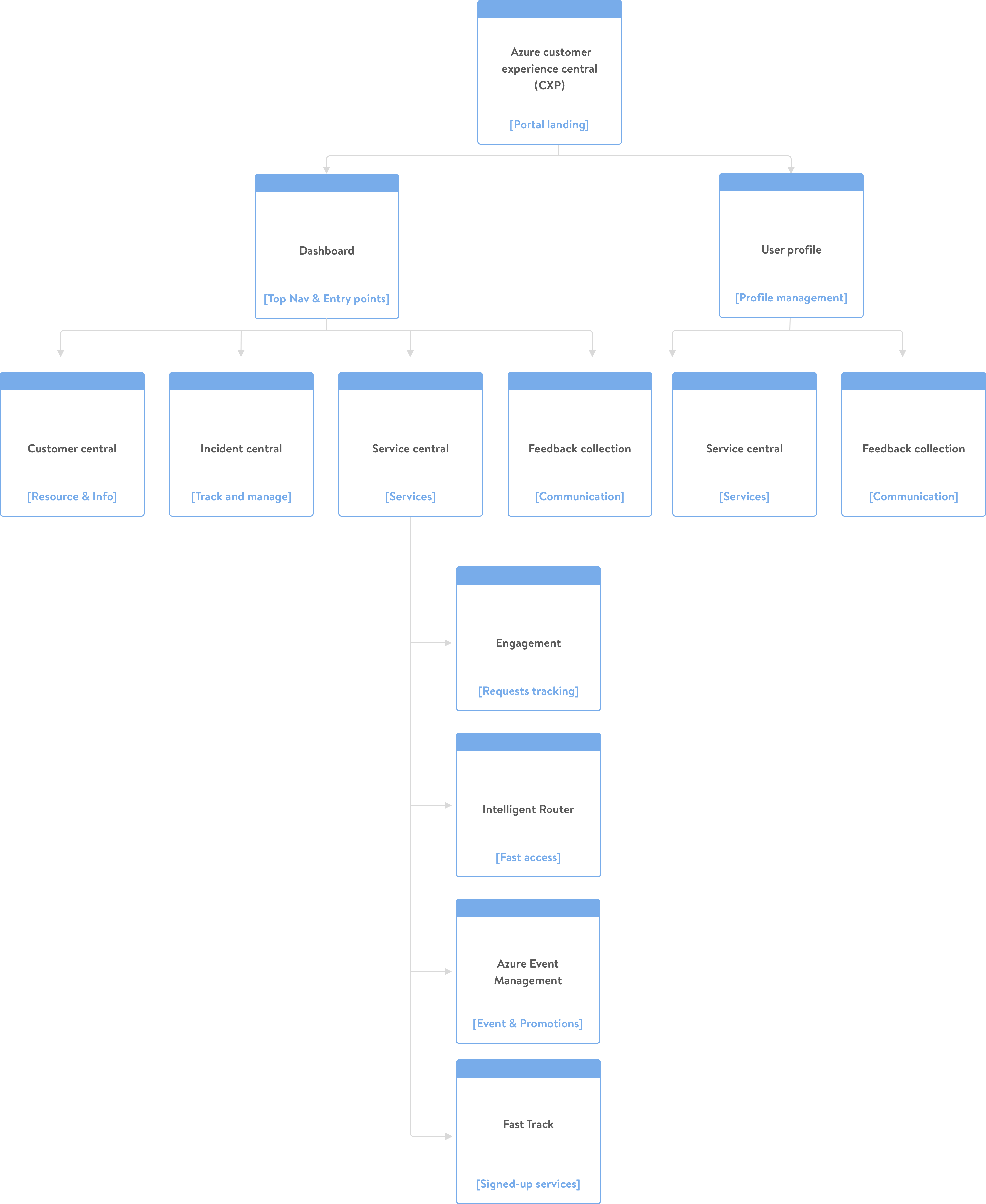
- Consolidate all the existing tools into a centralized portal
- Understanding the current value prop of each tools and create the umbrella experience to incorporate all of them.
Highlighted features
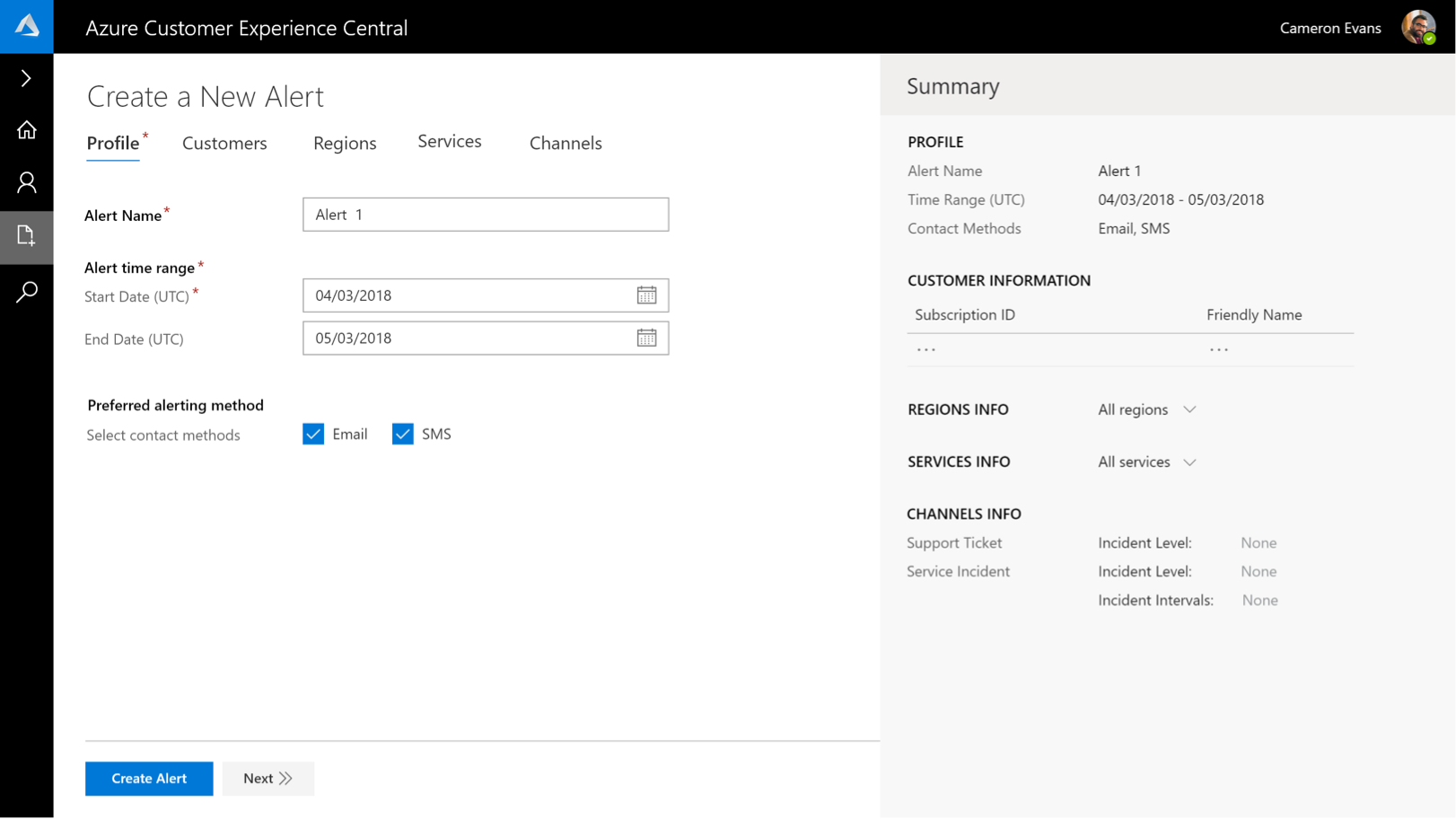
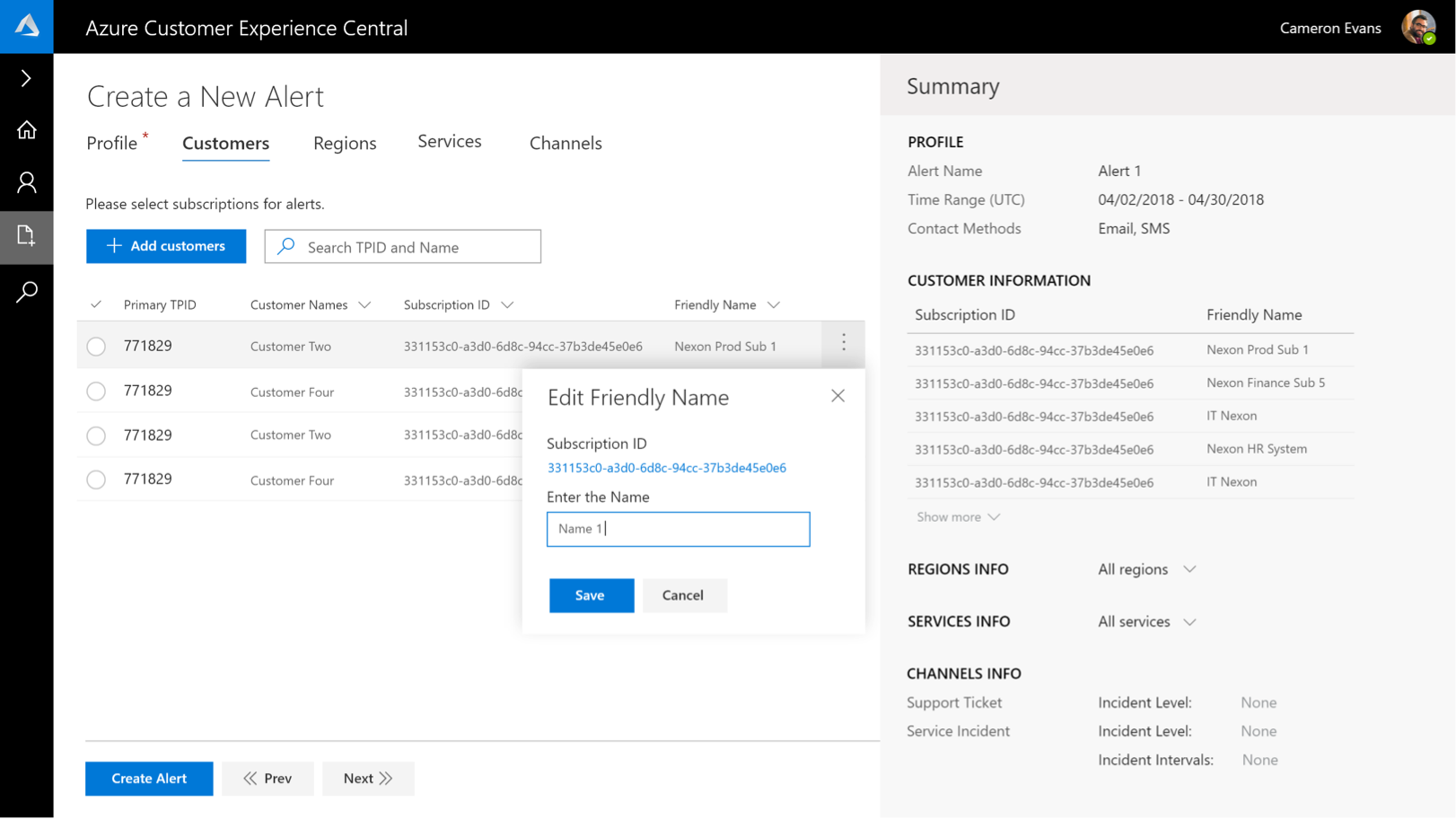
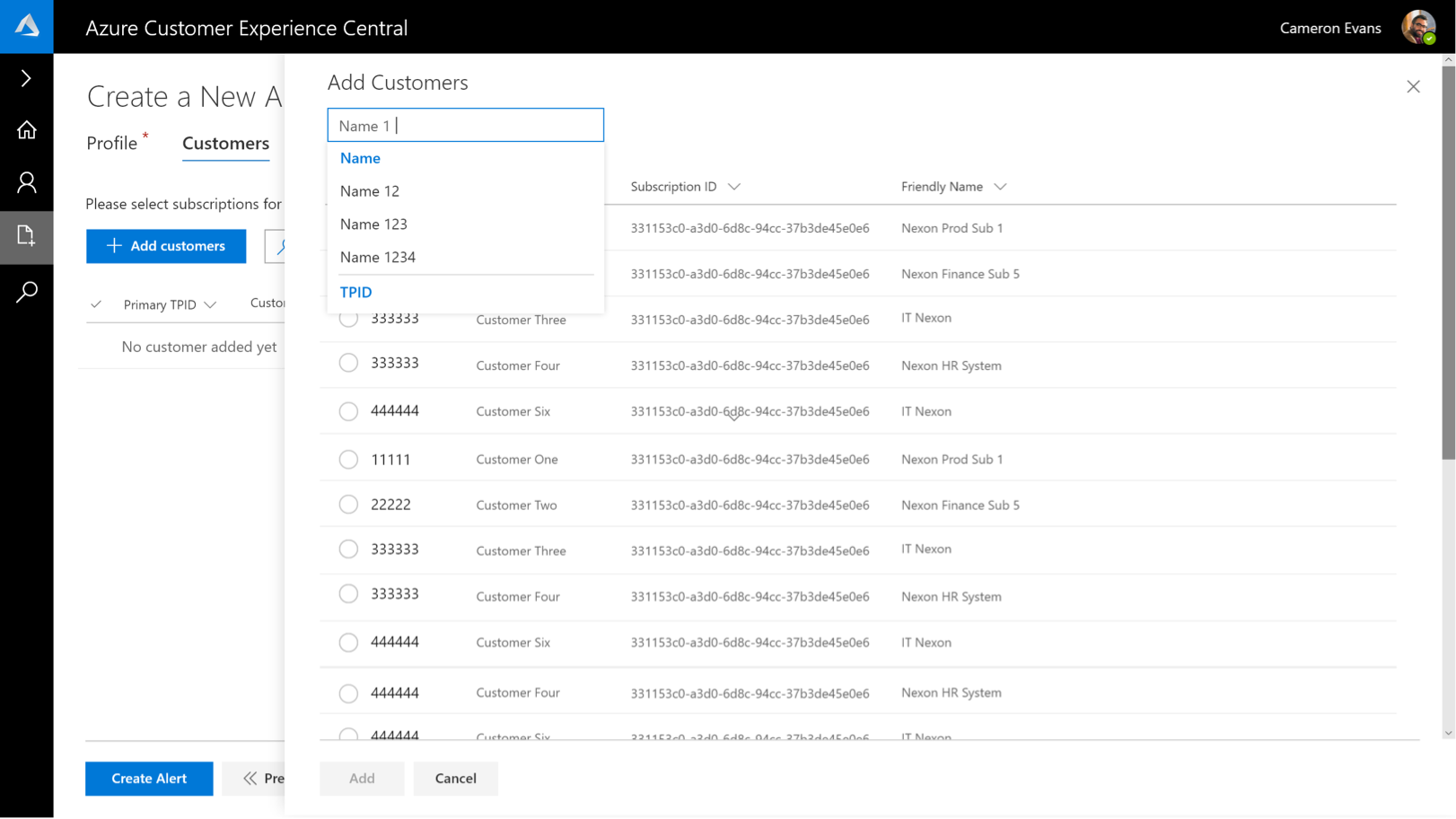
Alert center
Alert center allows users to manage and create alerts based on specific role with customization options.
1. Provide a unified entry to all actions you can do to alert items, including add, manage and track etc.
2. Be able to target new alerts to specific customers and products
3. Provide users a dynamic overview of the process
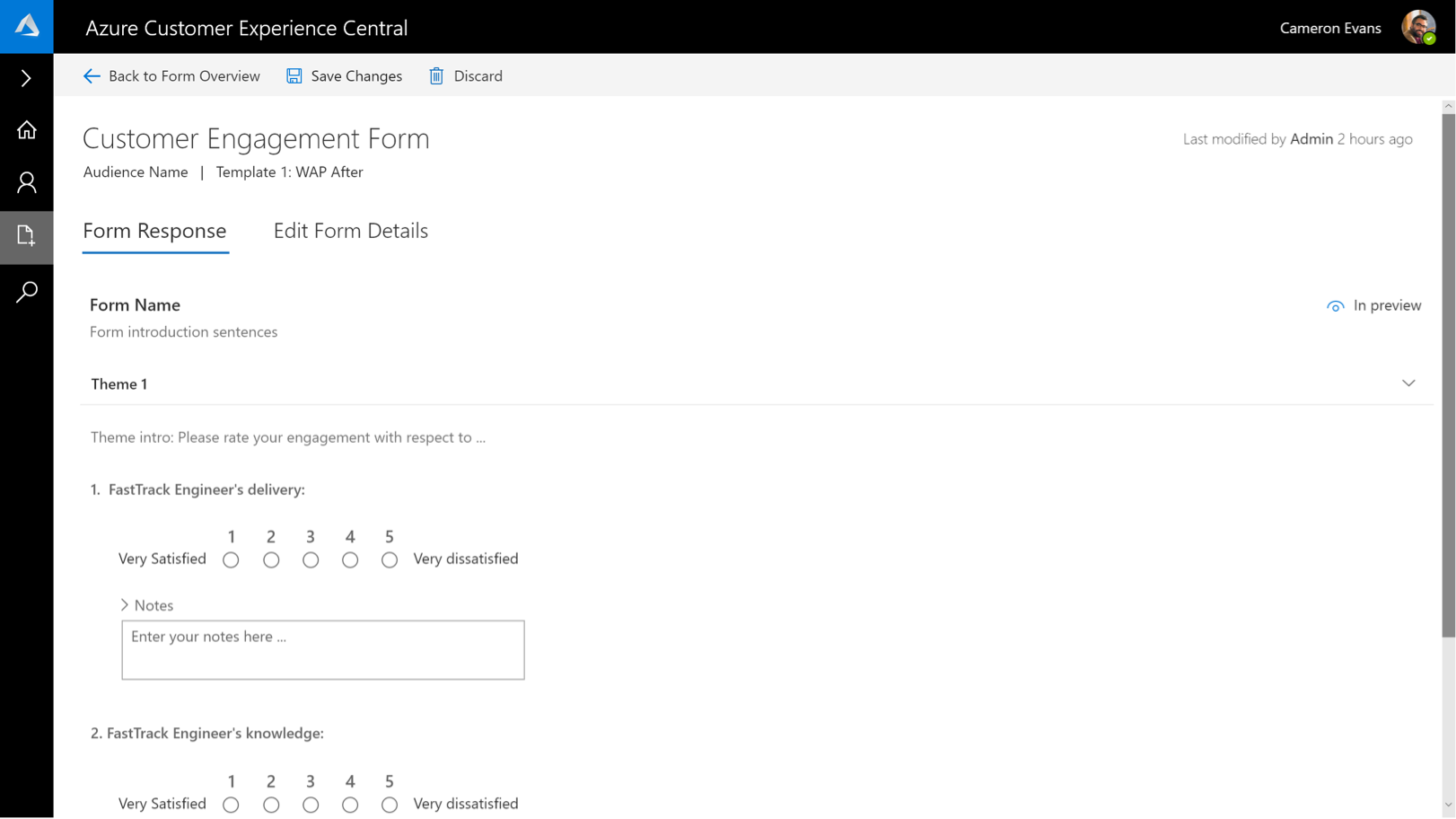
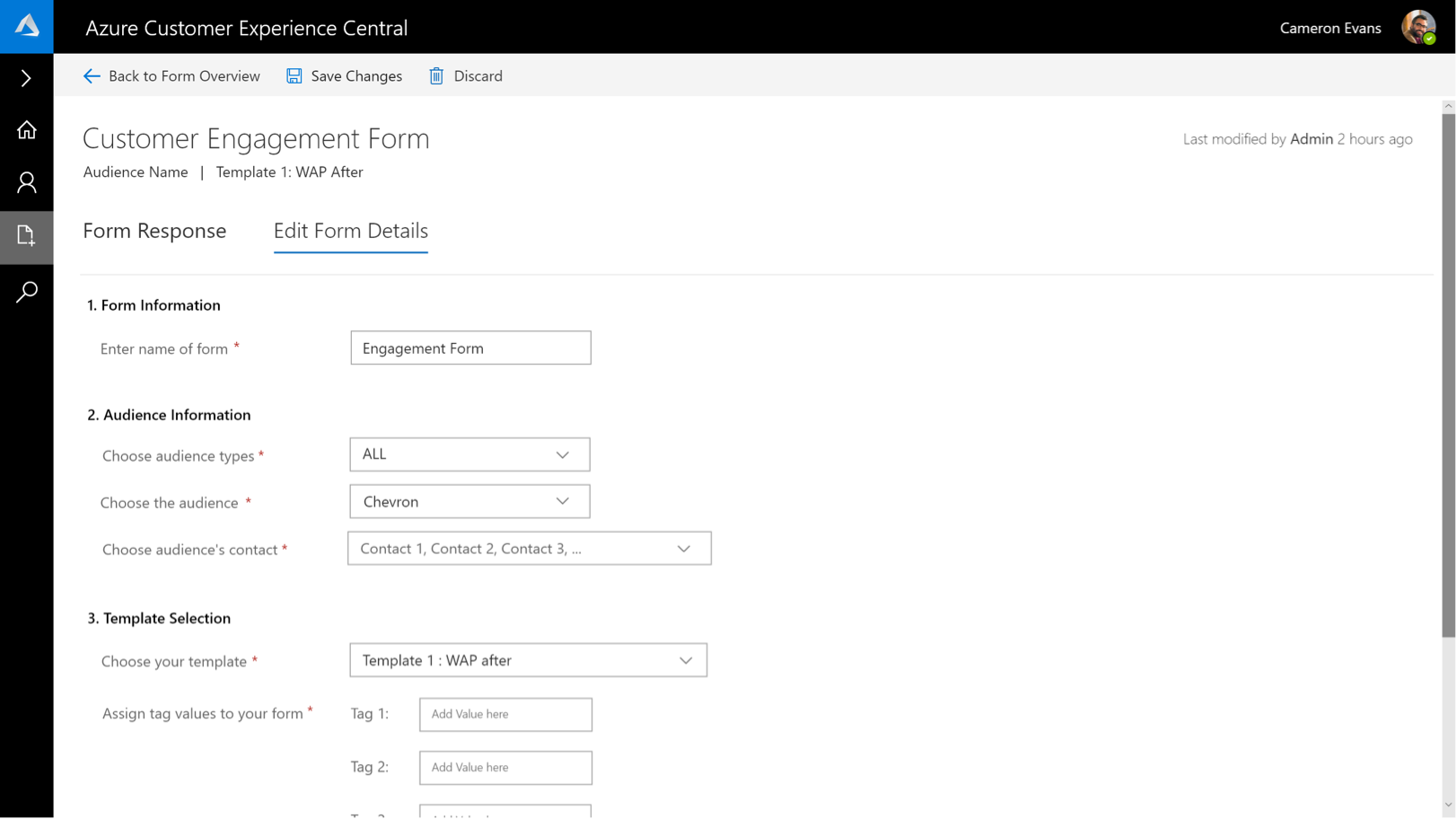
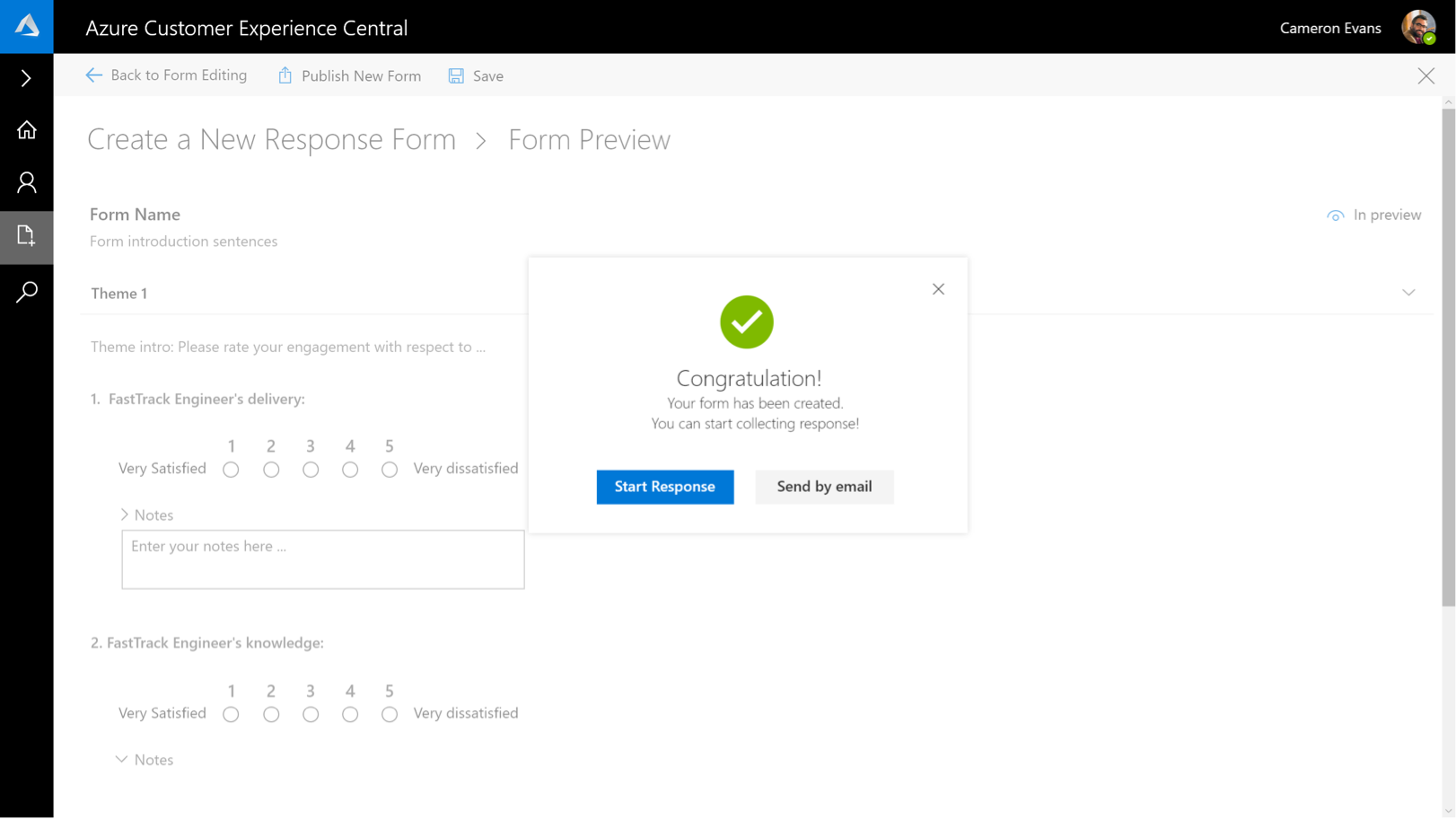
Feedback center
Enable PMs and Engineers to create feedback form and collect responses for different inquiries.
1. Be able to build customized template, which can be used for different topics
2. Provide a single platform for publishing, tracking and editing alerts
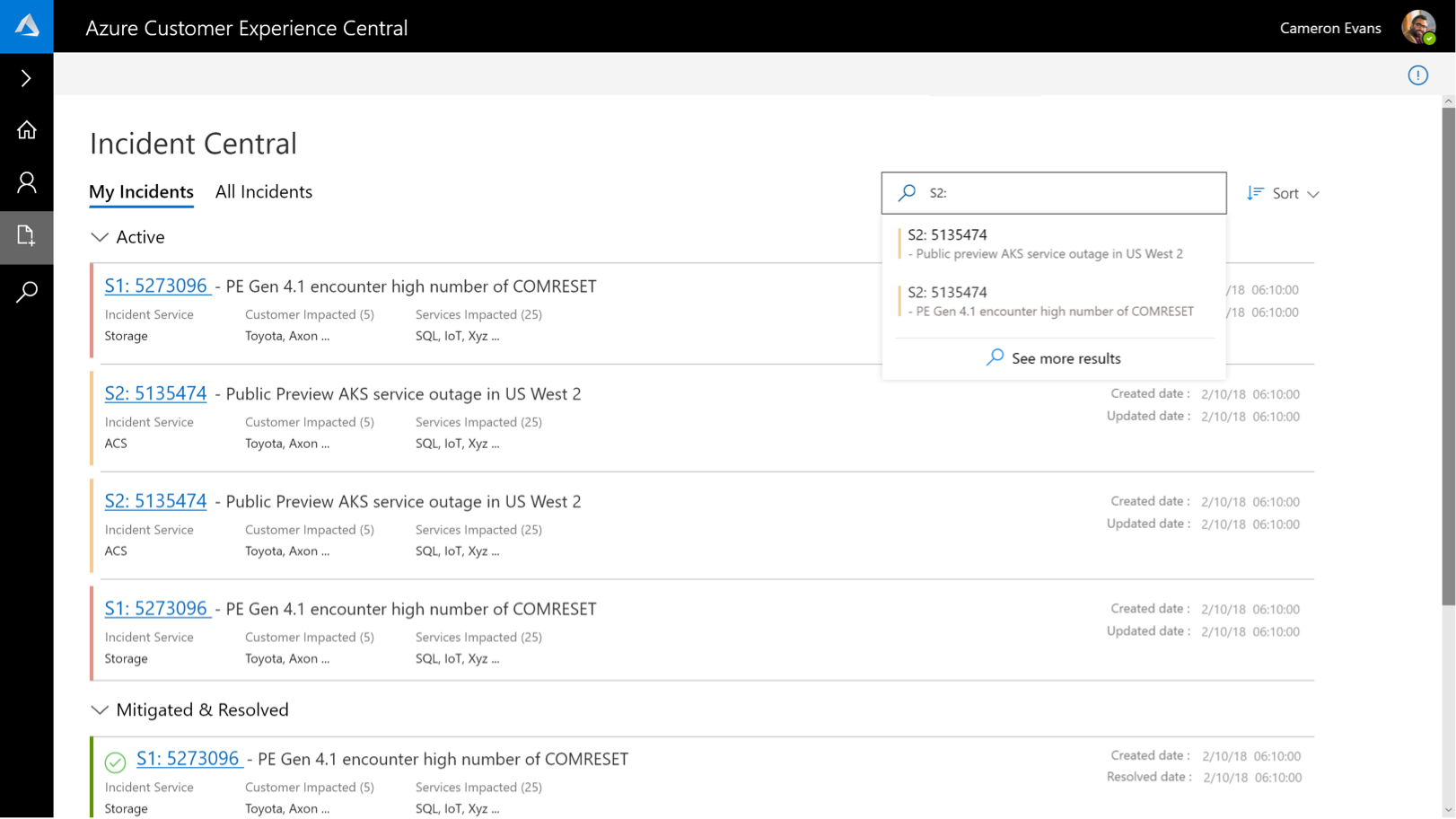
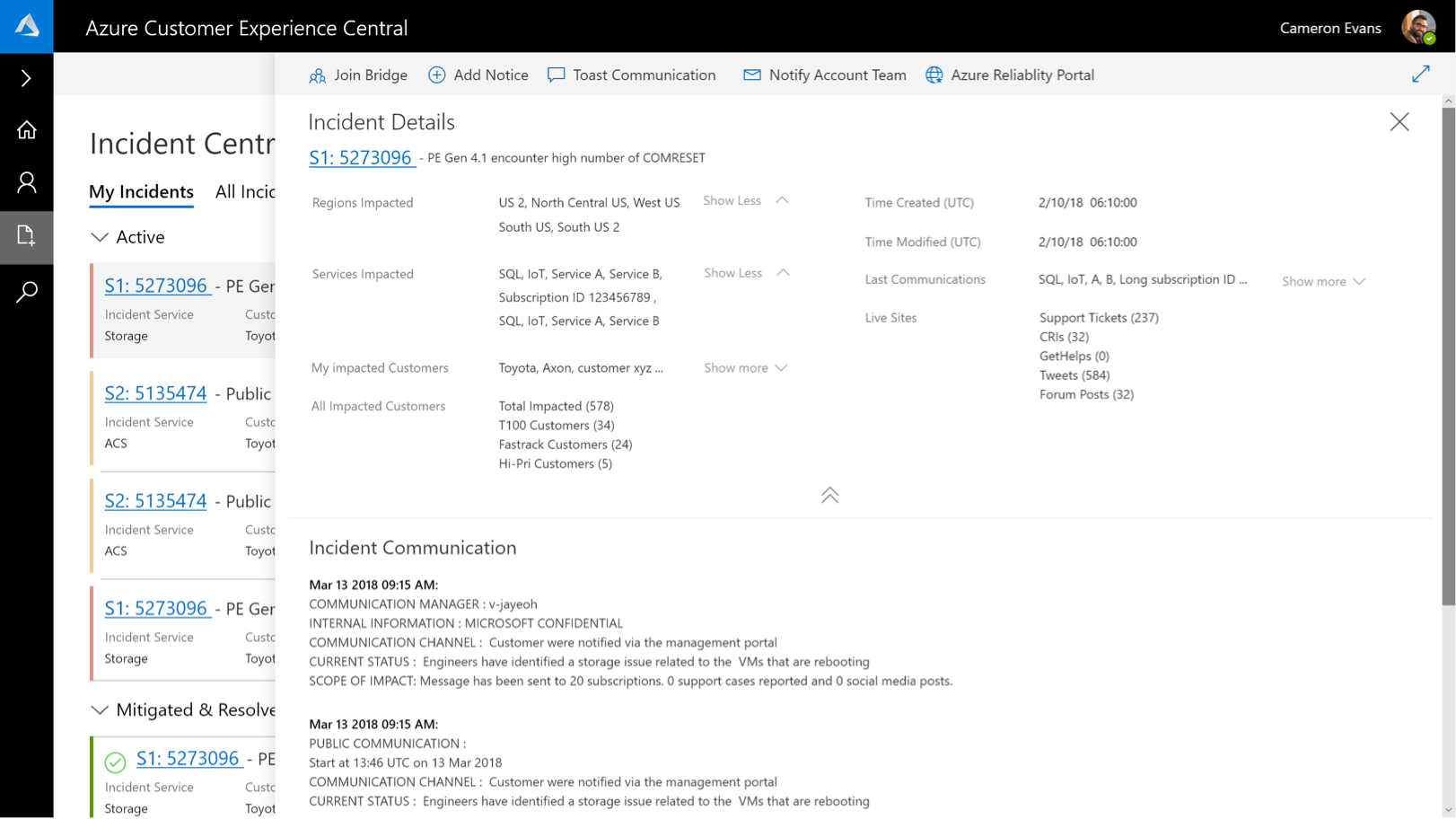
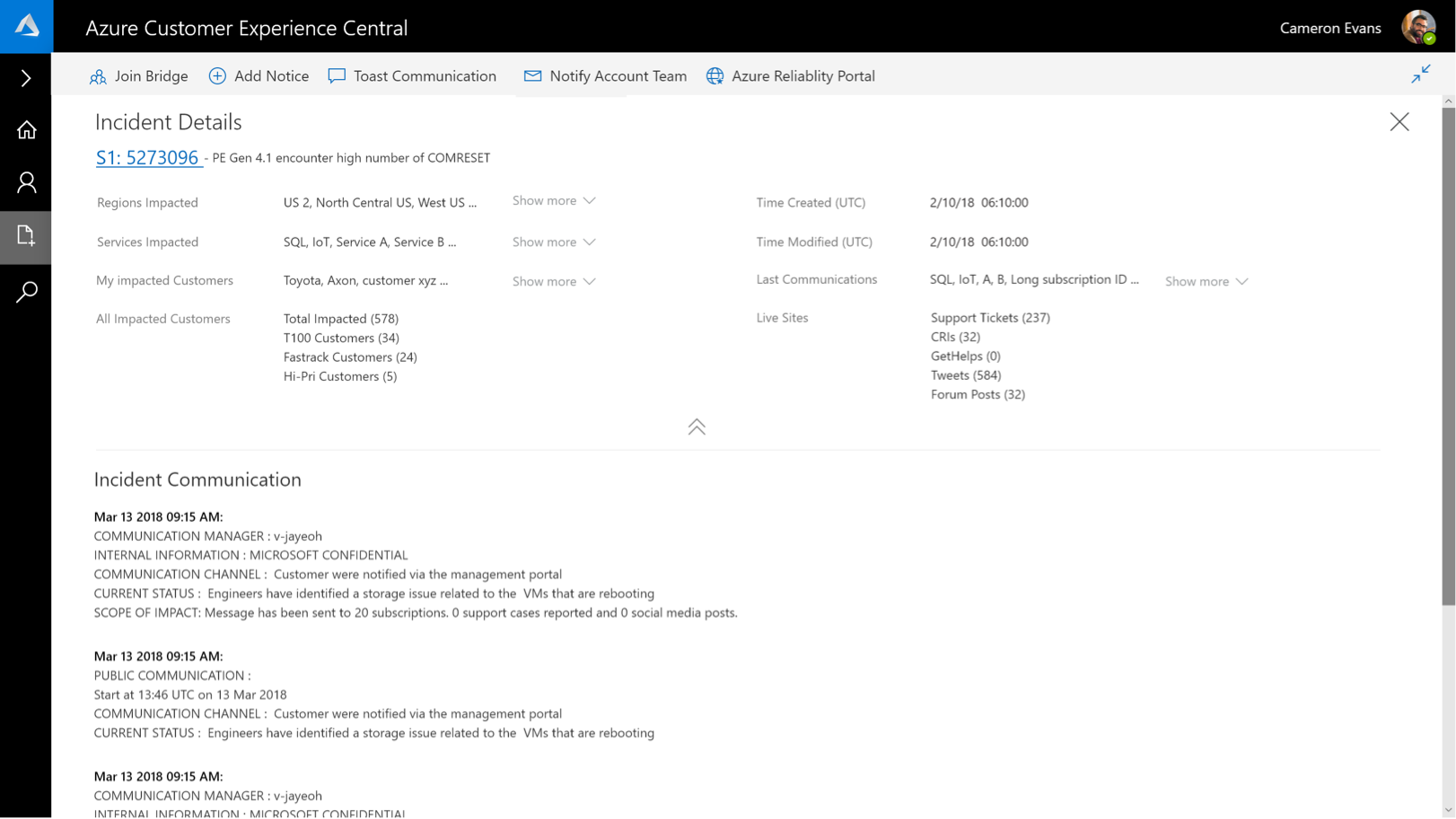
Incident central
Incident central provides program owners
both an overview and details of incidents under their management
1. Incidents view including mitigated and resolved incidents in the recent past.
2. My services view to provide service health tracking
3. Enable view of available actions, customer impact and live site impact.
Alert center
Alert center allows users to manage and create alerts based on specific role with customization options.
1. Provide a unified entry to all actions you can do to alert items, including add, manage and track etc.
2. Be able to target new alerts to specific customers and products
3. Provide users a dynamic overview of the process
Feedback center
Enable PMs and Engineers to create feedback form and collect responses for different inquiries.
1. Be able to build customized template, which can be used for different topics
2. Provide a single platform for publishing, tracking and editing alerts
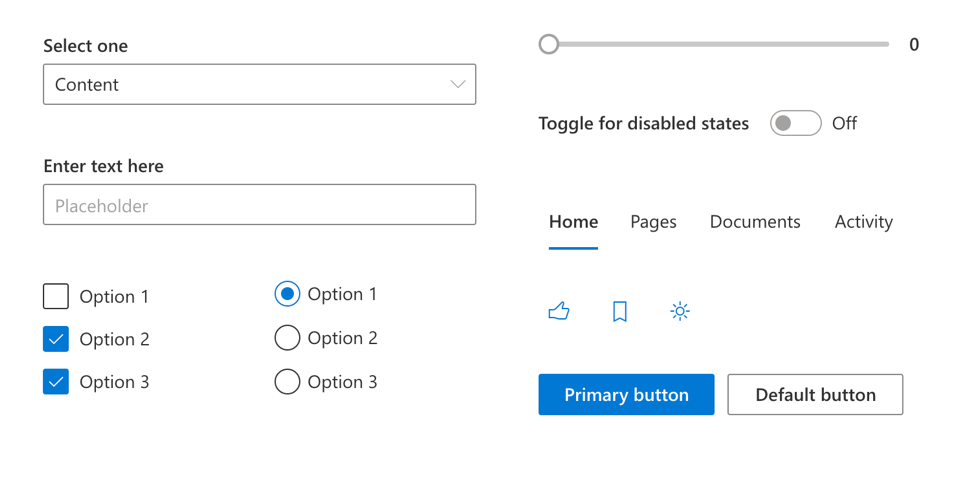
Design with Fabric design language
Why using Fabric?
We're utilizing Fabric design language & . framework to design this portal, which is a different design language from Azure portal. Since this is an internal tool, the goal is to align this with other Office 365 products, which our customers are already familiar with.
Learning & Challenges
Building a complex portal & dashboard from scratch is a challenging but exciting project. During the process, we were keeping a collaborative working style across product and design team. For the nature of this project, which requires a "umbrella experience" of many different technical tools, in order to build throughout user scenario, collecting data and value prop from product partners is the most critical step of the process.

.svg)